

How to Update an Organization's Profile
This article will show renters how to change the name of their organization and update other organization profile information in Facilitron S&R.
A Simple Process
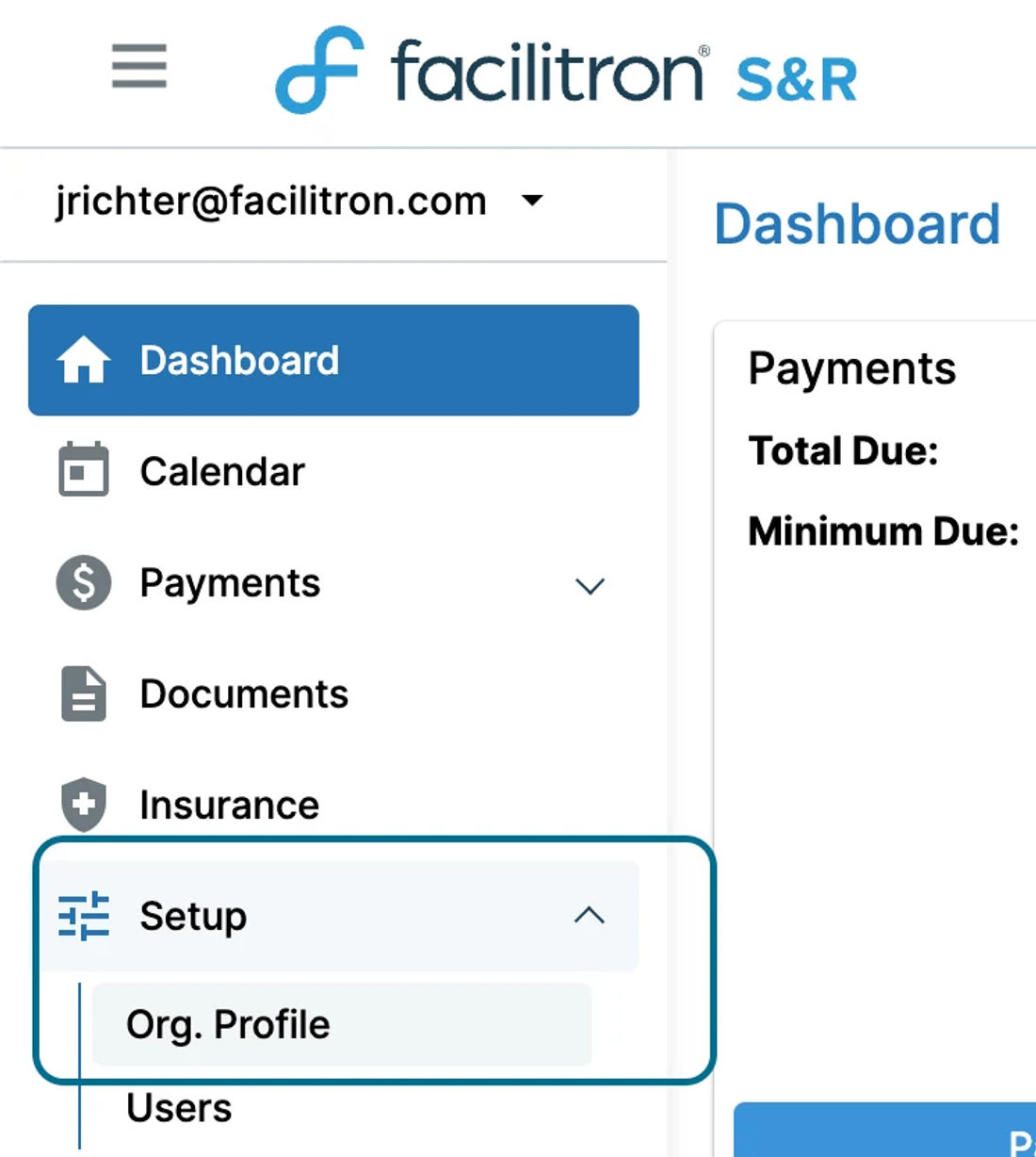
Upon logging into Facilitron, go to Setup > Org. Profile on the right side of your screen, as shown below.
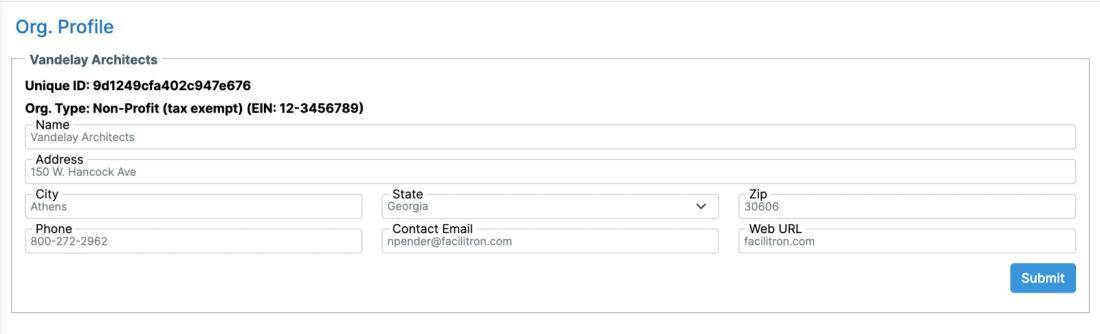
You will then be taken to the following page, where you may update the name of your organization and other information as needed. Remember to click “Submit” to save any changes. To update the EIN and/or organization type, please email your organization's nonprofit documentation to Facilitron Support at support@facilitron.com.
For additional assistance, please reach out to Facilitron Support at (800) 272-2962, or email us at support@facilitron.com.
Still need help?
If this article didn't solve your problem, our support team can help. We'll include this article so they have context.